
Arknights: Endfield · Trading capsule production (Buck Capsule)
CapsuleA
127 likes on the source, 69,780 views. By snooflo, Americas/Europe, mid game stage.
EFO014o5OUi5A833E51A
At a glance
| Code | EFO014o5OUi5A833E51A |
|---|---|
| Author | snooflo |
| Region | Americas/Europe |
| Stage | Mid game |
| Topic | Trading capsule production (Buck Capsule) |
| Footprint | Not published |
| Power | 665 kW draw, 0 kW generated |
| Posted | 2026-01-25 |
| Likes / views | 127 likes / 69,780 views, read 2026-09-20 |
Products
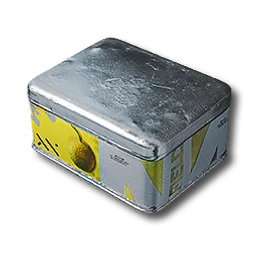
- 6/minCanned Citrome [A]
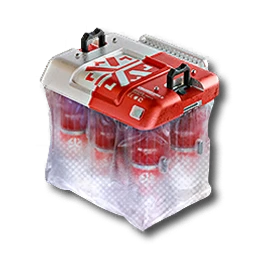
- 6/minBuck Capsule [A]
Inputs
- 240/minFerrium Ore
Description
Original Design not by me, but from Hawk2zer0. I changed it so it fits into any Sub-PAC Space. You need max size Upgrades and first two Bus upgrades. (One Bus upgrades possible as well, for that use this Code: "EFO01iOe76ae1E2eO72U4". Buckflowers/Citrome regenrates itself so Output and Input will cancel each other out. The only important thing is that you have the 240/min Ferrium Ore production. Make sure that the Inner Seed-Loops are Sandleaf and the Outer ones Buckflower or Citrome. As you still have some free Space you can sue it for lower Tier Iteams you can trade or whatever else you need. (Blueprints for that will come)
Requirements
Endfield Tools does not publish a required tech tier or Authority level for a blueprint. If the game refuses to place this layout, unlock the facilities its buildings need first.
Why this one
A second high-liked Buck Capsule [A] plan (127 likes) that also runs Canned Citrome [A], for a reader who wants both outpost goods from one build. Read 127 likes on 2026-09-20.
Related blueprints
More picks for trading capsule production (buck capsule).
How to import this blueprint
- 01
Open the Blueprints Menu
From any AIC Area, open the Blueprints Menu (F1 on PC).
- 02
Go to Import Blueprint
In the Blueprints Menu, choose Import Blueprint, in the lower-right of the screen.
- 03
Paste the code
Paste the code above exactly as shown, with no extra spaces or line breaks.
- 04
Check the summary and save
Confirm the summary page shows this blueprint, then choose Save to Shared Blueprints.
- 05
Place it
Open the saved blueprint, choose Place, position it in your AIC, and confirm.
CreditBuilt and shared by snooflo on Endfield Tools, the community Factory Plans library this site’s Blueprints section is picked from. See the full blueprint library for every other pick.
CapsuleA FAQ
- Does the CapsuleA blueprint code still work?
- Its code, "EFO014o5OUi5A833E51A", is copied exactly from the source's own listing, read on 2026-09-20. Endfield Tools does not publish an expiry for a blueprint code; if the game changes its AIC recipes in a future version, an older code may need rebuilding by hand.
- What region is this blueprint for?
- Americas/Europe. Codes are region-locked: this one will not import on an account on a different region.
- What does CapsuleA produce?
- Canned Citrome [A] at 6/min, Buck Capsule [A] at 6/min.
- How do I import this code?
- Open the Blueprints Menu (F1 on PC) from any AIC Area, choose Import Blueprint, paste the code, confirm the summary, save it, then Place it in your AIC. Full steps are below.
- Why was CapsuleA picked for trading capsule production (buck capsule)?
- A second high-liked Buck Capsule [A] plan (127 likes) that also runs Canned Citrome [A], for a reader who wants both outpost goods from one build.