
Arknights: Endfield · Wuling factory layout
Check Description Wuling + Jingyu
250 likes on the source, 148,387 views. By faust, Americas/Europe, mid game stage.
EFO0172UAoIUu95AO0Ai
At a glance
| Code | EFO0172UAoIUu95AO0Ai |
|---|---|
| Author | faust |
| Region | Americas/Europe |
| Stage | Mid game |
| Topic | Wuling factory layout |
| Footprint | Not published |
| Power | 1745 kW draw, 1800 kW generated |
| Posted | 2026-01-25 |
| Likes / views | 250 likes / 148,387 views, read 2026-09-20 |
Products
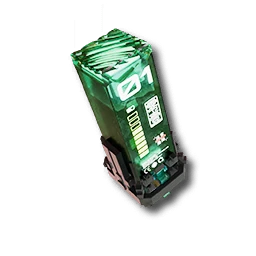
- 12/minLC Wuling Battery
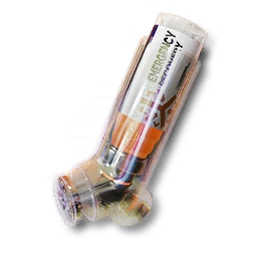
- 6/minYazhen Syringe [C]
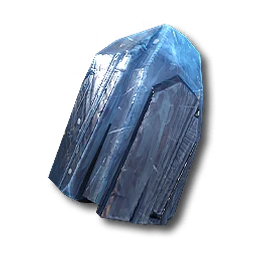
- 90/minFerrium Ore
Inputs
- 1.5/minLC Wuling Battery
- 120/minFerrium Ore
Description
Main Base in Wuling separated into 4 parts with plenty space left for future upgrades. Needs 1st area upgrade and depot. EFO0172UAoIUu95AO0Ai - Top Right EFO01O3E216E97Ii9oe4 - Bottom Right EFO01eE7UIu7304ioAi8 - Bottom Left EFO011ea02EaOoU734O7 - Top Left
EFO0158OEE6UU7uoeIoe - Jingyu (needs depot doesn't matter where u place just connect water and done)
Of note is you will keep losing ferrium until higher development
Requirements
Endfield Tools does not publish a required tech tier or Authority level for a blueprint. If the game refuses to place this layout, unlock the facilities its buildings need first.
Why this one
Also the site's highest-liked Wuling plan overall (250 likes): see the mid-game pick above for the same base, producing an LC Wuling Battery and Yazhen Syringe [C] together. Read 250 likes on 2026-09-20.
Related blueprints
More picks for wuling factory layout.
Related
How to import this blueprint
- 01
Open the Blueprints Menu
From any AIC Area, open the Blueprints Menu (F1 on PC).
- 02
Go to Import Blueprint
In the Blueprints Menu, choose Import Blueprint, in the lower-right of the screen.
- 03
Paste the code
Paste the code above exactly as shown, with no extra spaces or line breaks.
- 04
Check the summary and save
Confirm the summary page shows this blueprint, then choose Save to Shared Blueprints.
- 05
Place it
Open the saved blueprint, choose Place, position it in your AIC, and confirm.
CreditBuilt and shared by faust on Endfield Tools, the community Factory Plans library this site’s Blueprints section is picked from. See the full blueprint library for every other pick.
Check Description Wuling + Jingyu FAQ
- Does the Check Description Wuling + Jingyu blueprint code still work?
- Its code, "EFO0172UAoIUu95AO0Ai", is copied exactly from the source's own listing, read on 2026-09-20. Endfield Tools does not publish an expiry for a blueprint code; if the game changes its AIC recipes in a future version, an older code may need rebuilding by hand.
- What region is this blueprint for?
- Americas/Europe. Codes are region-locked: this one will not import on an account on a different region.
- What does Check Description Wuling + Jingyu produce?
- LC Wuling Battery at 12/min, Yazhen Syringe [C] at 6/min, Ferrium Ore at 90/min.
- How do I import this code?
- Open the Blueprints Menu (F1 on PC) from any AIC Area, choose Import Blueprint, paste the code, confirm the summary, save it, then Place it in your AIC. Full steps are below.
- Why was Check Description Wuling + Jingyu picked for wuling factory layout?
- Also the site's highest-liked Wuling plan overall (250 likes): see the mid-game pick above for the same base, producing an LC Wuling Battery and Yazhen Syringe [C] together.