
40x40 Valley C (Third Outpost)
23 likesAsia0 kW draw
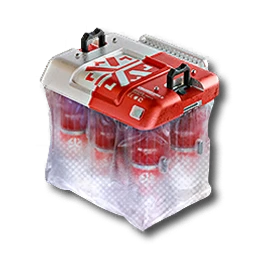
- 6/minBuck Capsule [A]
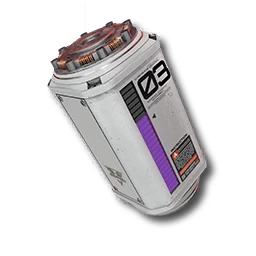
- 12/minHC Valley Battery
EFO01Ue37I6u6iO871a8Arknights: Endfield · Valley IV base layout
119 likes on the source, 30,414 views. By syne, Americas/Europe, mid game stage.
EFO011ea007E7iUI34O7
| Code | EFO011ea007E7iUI34O7 |
|---|---|
| Author | syne |
| Region | Americas/Europe |
| Stage | Mid game |
| Topic | Valley IV base layout |
| Footprint | Not published |
| Power | 0 kW draw, 0 kW generated |
| Posted | 2026-01-29 |
| Likes / views | 119 likes / 30,414 views, read 2026-09-20 |
EFO01A5ieeO8O4EI89ieO - MainTopRight EFO0172UAA4I4E56O0Ai - MainBottomRight EFO016i1aaeOeA711O83e - MainTopMid EFO014o5OO808I37UE71A - MainTopBottom EFO011ea007E7iU2i34O7 - MainTopLeft EFO010U966A4A7i1aE179 - MainBottomLeft EFO011ea007E7iUI34O7 - SubBase EFO01a7099U2UeA0oe5e - SubBlokBombs
All three outposts should have a blueprint for steel production (EFO011ea007E7iUI34O7 - SubBase), each outpost still has enough space for one farm and a small production line, for example, bomb production (EFO01a7099U2UeA0oe5e - SubBlokBombs), and there is also enough space left at the main base.
Endfield Tools does not publish a required tech tier or Authority level for a blueprint. If the game refuses to place this layout, unlock the facilities its buildings need first.
Highest-liked plan explicitly built around Valley IV's main and side outposts (119 likes), pairing a Buck Capsule [A] line with an HC Valley Battery. Read 119 likes on 2026-09-20.
More picks for valley iv base layout.
Asia0 kW draw
EFO01Ue37I6u6iO871a8From any AIC Area, open the Blueprints Menu (F1 on PC).
In the Blueprints Menu, choose Import Blueprint, in the lower-right of the screen.
Paste the code above exactly as shown, with no extra spaces or line breaks.
Confirm the summary page shows this blueprint, then choose Save to Shared Blueprints.
Open the saved blueprint, choose Place, position it in your AIC, and confirm.