

Arknights: Endfield · Compact / space-efficient layout
redssuns
65 likes on the source, 116,472 views. By redssuns, Americas/Europe, late game stage.
EFO0136uIU9o79a10579
At a glance
| Code | EFO0136uIU9o79a10579 |
|---|---|
| Author | redssuns |
| Region | Americas/Europe |
| Stage | Late game |
| Topic | Compact / space-efficient layout |
| Footprint | Not published |
| Power | 200 kW draw, 200 kW generated |
| Posted | 2026-01-24 |
| Likes / views | 65 likes / 116,472 views, read 2026-09-20 |
Products
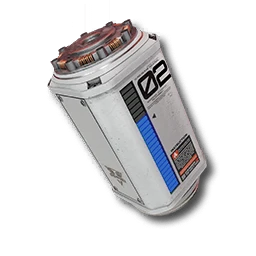
- 6/minXiranite Component
Description
cryptone
Requirements
Endfield Tools does not publish a required tech tier or Authority level for a blueprint. If the game refuses to place this layout, unlock the facilities its buildings need first.
Why this one
Highest-liked plan tagged Compact (65 likes) that is also tagged Beginner-Friendly, running a single Xiranite Component line. Read 65 likes on 2026-09-20.
Related blueprints
More picks for compact / space-efficient layout.
How to import this blueprint
- 01
Open the Blueprints Menu
From any AIC Area, open the Blueprints Menu (F1 on PC).
- 02
Go to Import Blueprint
In the Blueprints Menu, choose Import Blueprint, in the lower-right of the screen.
- 03
Paste the code
Paste the code above exactly as shown, with no extra spaces or line breaks.
- 04
Check the summary and save
Confirm the summary page shows this blueprint, then choose Save to Shared Blueprints.
- 05
Place it
Open the saved blueprint, choose Place, position it in your AIC, and confirm.
CreditBuilt and shared by redssuns on Endfield Tools, the community Factory Plans library this site’s Blueprints section is picked from. See the full blueprint library for every other pick.
redssuns FAQ
- Does the redssuns blueprint code still work?
- Its code, "EFO0136uIU9o79a10579", is copied exactly from the source's own listing, read on 2026-09-20. Endfield Tools does not publish an expiry for a blueprint code; if the game changes its AIC recipes in a future version, an older code may need rebuilding by hand.
- What region is this blueprint for?
- Americas/Europe. Codes are region-locked: this one will not import on an account on a different region.
- What does redssuns produce?
- Xiranite Component at 6/min.
- How do I import this code?
- Open the Blueprints Menu (F1 on PC) from any AIC Area, choose Import Blueprint, paste the code, confirm the summary, save it, then Place it in your AIC. Full steps are below.
- Why was redssuns picked for compact / space-efficient layout?
- Highest-liked plan tagged Compact (65 likes) that is also tagged Beginner-Friendly, running a single Xiranite Component line.